
.jpg?h=3300&iar=0&w=4950&rev=76992471557043f5b034f8d000297b31&hash=1CD4BFF20FEC861A02A2C1E23B831593)

We use cookies to improve your online experiences. To learn more and choose your cookies options, please refer to our cookie policy.

03 January, 2026
Download the BIS Abu Dhabi Parent App
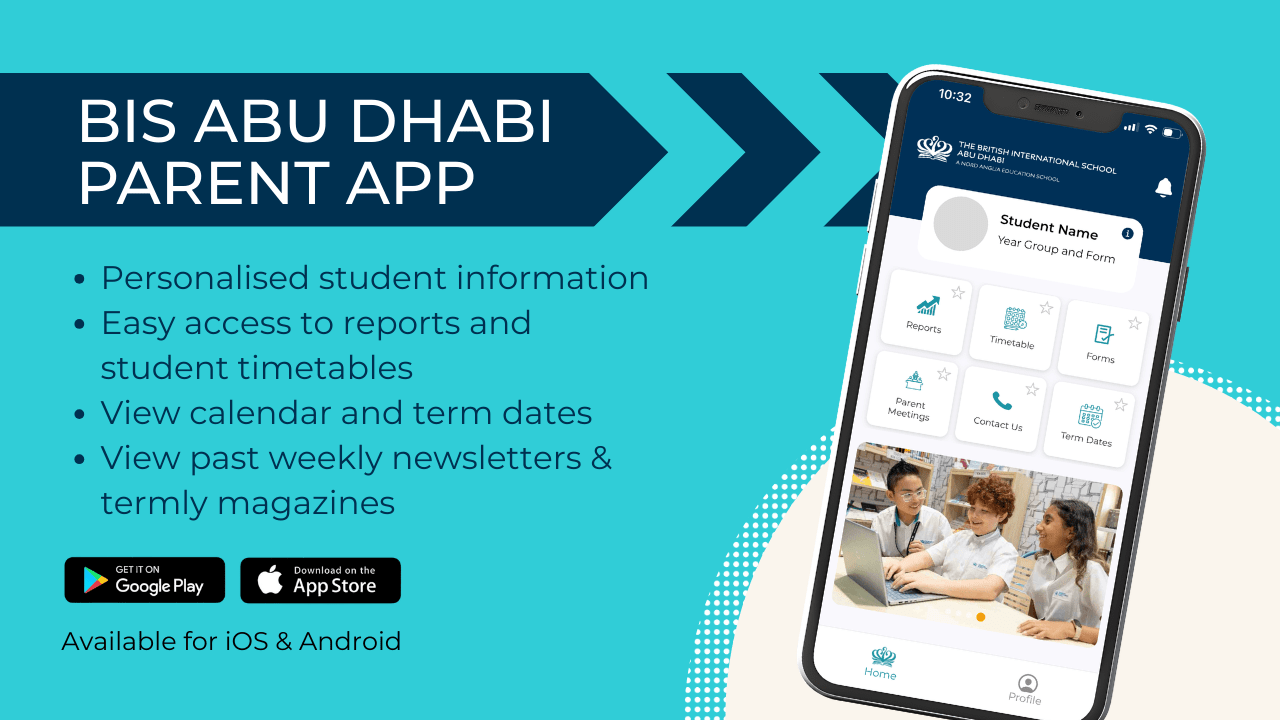
The BIS Abu Dhabi Parent App Has Arrived!
Within the app, you can access personalised information about your child, including their timetable, school calendar, reports, and teacher contacts, as well as manage absences, book parent meetings, and more.
How to Install and Set Up the BIS Abu Dhabi Parent App
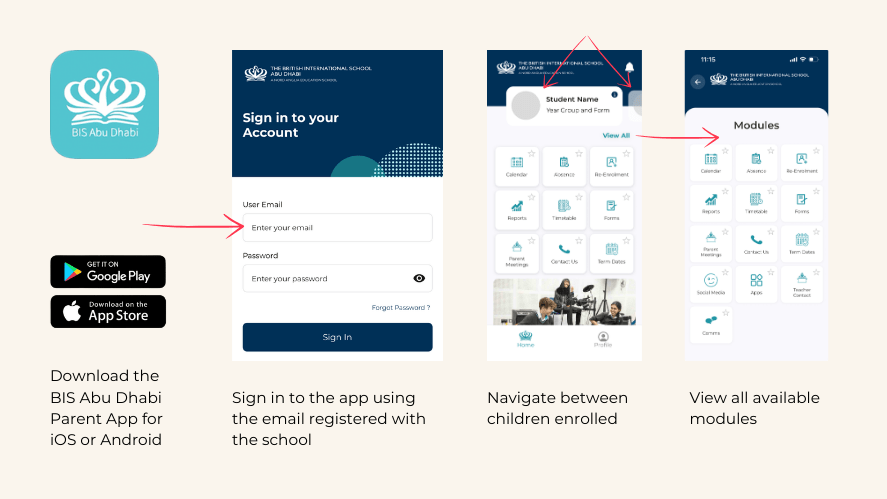
- Download the app
You can download the app from the Google Play Store or Apple App Store by searching for “BIS Abu Dhabi. - Create your account
Once installed, select “BISAD Parent Sign Up.”
Enter the email address registered with the school (the one that receives school correspondence) and click “Sign Up.” - Receive your password
You will receive an email with a temporary password to log in.
Once logged in, you can change your password if you wish.
Note: After your first login, the app will remember your details. - Complete the quick tutorial
A short in‑app tutorial will guide you through the main features to help you get the most out of the app. - Enable notifications
Please ensure you allow notifications so you receive important messages and updates from the school.
Navigating within the App
Once you are in the app, you can easily switch between your children by clicking each child’s name at the top. Click the “View All” link in the top right to see all modules available in the app.
These instructions, including guidance on downloading our Zenda payment app, can also be found in our Primary and Secondary Parent Guides.
Share your feedback
The app will continue to develop over time. If you have suggestions or feedback, please contact us at comms@bisad.ae
Related news
News image ![How we support your family journey from application to first - How we support your family journey from application to first day]() Blog | Advice and Guidance | Choosing A School | Educational Insights | Posts From Our People
Blog | Advice and Guidance | Choosing A School | Educational Insights | Posts From Our People
 Blog | Advice and Guidance | Choosing A School | Educational Insights | Posts From Our People
 How We Support Your Family Transition From Application to First Day
Discover how BIS Abu Dhabi supports families from enquiry to first day, ensuring a smooth transition with care, communication, and a welcoming community.
News image ![BIS Abu Dhabi Scholars Complete World Scholar’s Cup Global Round in Dubai]() News | School News | Secondary | Student Achievement
News | School News | Secondary | Student Achievement
.jpeg?h=960&iar=0&w=1280&rev=cafd20d2cf994eeeab441f89984f90b9&hash=6C84A7B6E53B51EE65CFF7207941F34A) News | School News | Secondary | Student Achievement
News | School News | Secondary | Student Achievement BIS Abu Dhabi Scholars Complete World Scholar’s Cup Global Round in Dubai
BIS Abu Dhabi Scholars take on the World Scholar’s Cup 2026 Dubai Global Round, competing, collaborating and celebrating with students from around the world.
.png?rev=1619813b30a347d9bc71977e2cfe09d2&hash=66B98CDC659BBF07EB36660B4381E1E7)